When someone you love needs to pick up where you left off - whether due to an emergency, incapacity, or after you're gone - a heartfelt letter only goes so far. They'll also need to know where your accounts are, who your insurance carrier is, what bills are on autopay, and where you keep the deed to the house.
That's why we built Vitals.
What Are Vitals?
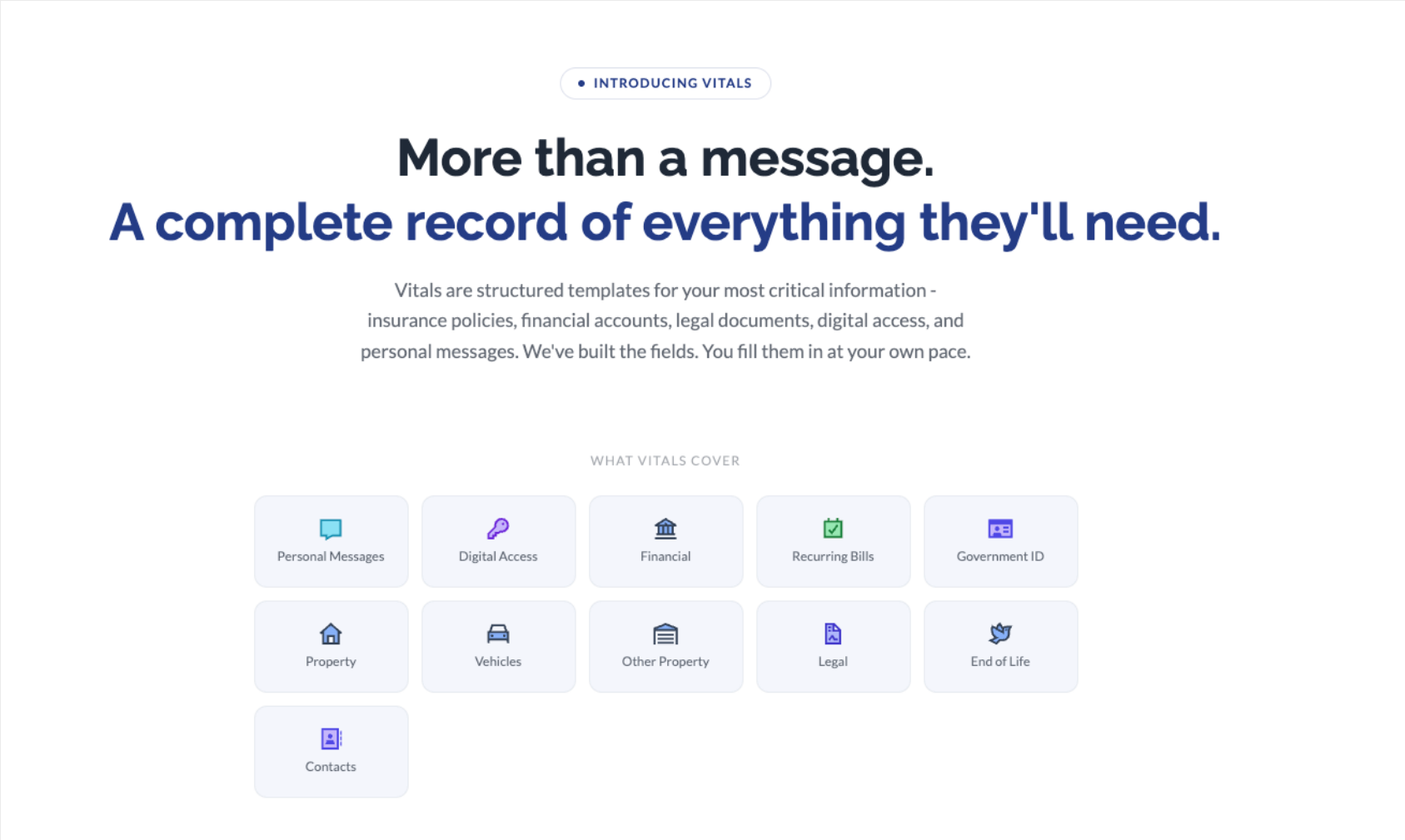
Vitals are structured templates for your most critical information. Instead of leaving your family to search through filing cabinets, email inboxes, and desk drawers, Vitals let you organize everything into a single, secure record - one that's designed to be useful when it matters most.
Each Vital covers a specific category of your life: financial accounts, insurance policies, legal documents, digital access, property records, recurring bills, government IDs, vehicles, end-of-life wishes, key contacts, and personal messages. We've built the fields. You fill them in at your own pace.
Built for the Way Life Actually Works
Most people don't sit down and document everything about their life in one afternoon. We didn't design Vitals with that expectation.
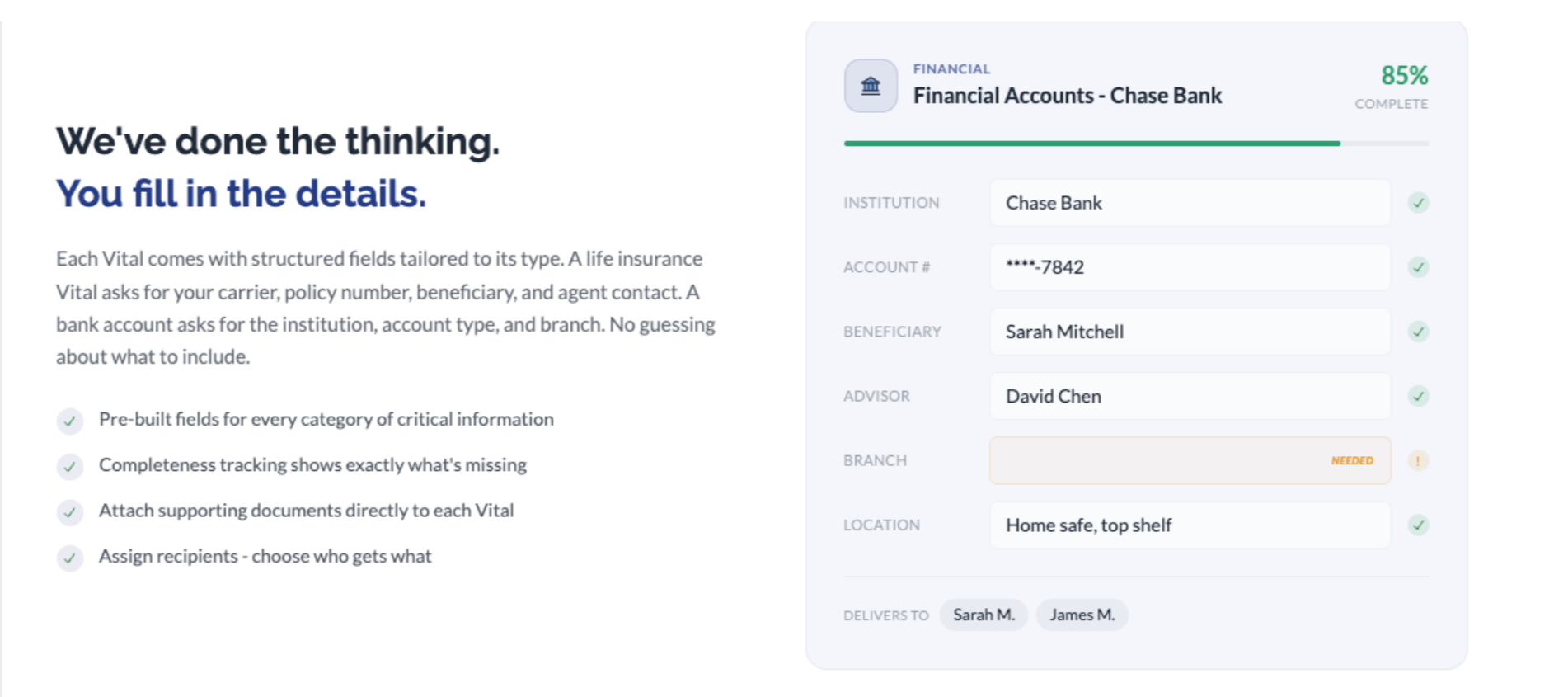
Each Vital comes with structured fields tailored to its type. A life insurance Vital asks for your carrier, policy number, beneficiary, and agent contact. A bank account asks for the institution, account type, branch, and where you keep related documents. There's no guessing about what to include - the template guides you through it.
A few things that make this practical rather than aspirational:
Pre-built fields for every category of critical information. We researched what families actually need when they're trying to sort things out, and built the fields around that. You're not starting from a blank page.
Completeness tracking shows exactly what's missing. Each Vital displays a completion percentage so you can see at a glance what's filled in and what still needs attention. An 85% complete financial account Vital might just be missing a branch location - the kind of detail you can fill in next time you think of it.
Attach supporting documents directly to each Vital. If you have a PDF of your insurance declaration page or a scan of your will, attach it right where it belongs. No more wondering which folder it's in.
Assign recipients - choose who gets what. Not everyone needs access to everything. You can designate specific people to receive specific Vitals, so the right information reaches the right person.
The Readiness Score: Your Progress at a Glance
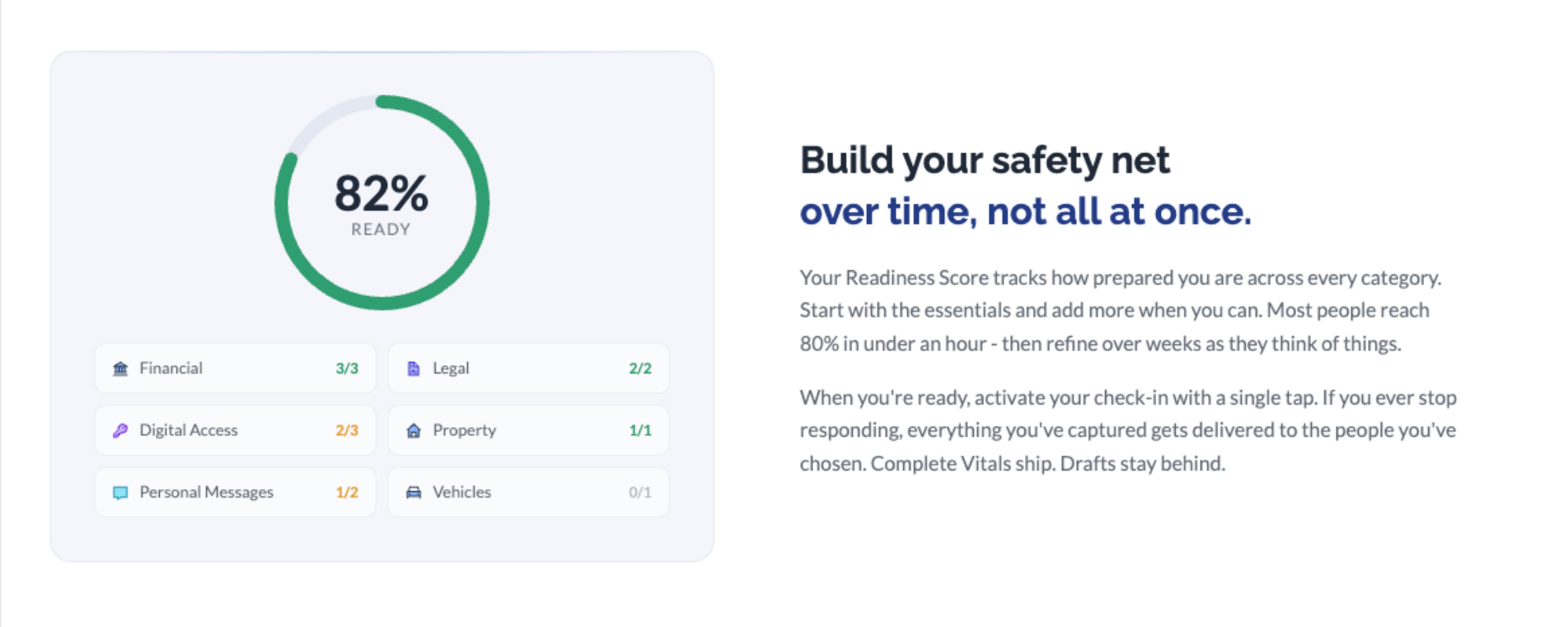
One of the challenges with any kind of planning is knowing whether you've done enough. Vitals addresses this with a Readiness Score - a simple percentage that tracks how prepared you are across every category.
The Readiness Score breaks down by category: Financial, Legal, Digital Access, Property, Personal Messages, Vehicles, and more. You can see exactly how many Vitals you've completed in each area and where the gaps are.
Most people reach 80% in under an hour by starting with the essentials - the accounts and documents that would cause the most confusion if they were hard to find. From there, you refine over weeks as things come to mind. A vehicle registration here, a streaming password there. It adds up.
How Delivery Works
When you're ready, you activate your check-in. If you ever stop responding, everything you've captured gets delivered to the people you've chosen. Complete Vitals ship. Drafts stay behind.
This is an important distinction. Vitals that are still in progress - things you've started but haven't finished or reviewed - won't be sent. Only the records you've marked as complete get delivered. This gives you the freedom to work at your own pace without worrying about incomplete information reaching your family prematurely.
What Vitals Cover
The full set of categories includes: Personal Messages, Digital Access & Accounts, Financial Accounts, Recurring Financial Obligations, Government & Identity Documents, Primary Residence, Vehicles & Transportation, Other Property & Assets, Legal Documents, End-of-Life Preferences, Professional & Advisory Contacts, Dependents & Caregiving, Business & Professional Affairs, Healthcare & Medical, Digital Legacy, Whistleblower & Disclosure, Emergency Preparedness, and Immigration & Deportation Contingency - a broad scope, and intentionally so. The goal isn't to fill in every single one on day one. It's to give you a place for everything, so that when you think "I should write that down somewhere," there's already a spot for it.
Getting Started
Vitals are available now for all One Final Message members. Log in to your account and you'll see the new Vitals section ready to go. Start with whatever feels most important - for most people, that's financial accounts and legal documents - and build from there.
There's no deadline and no pressure. The whole point is that you can do this over time, not all at once.
If you have questions or feedback as you get started, we'd like to hear from you. Reach out to us anytime at support@onefinalmessage.com.